在 IoT 裡常被提到的 Node Red, 弄一個玩玩看看它有什麼神妙之處。
安裝太簡單,直接照著官網的教學做就好。
安裝完執行 node-red 就可以啟動本機的伺服器,瀏覽器輸入 http://localhost:1880 即可連上去進行開發。
Node Rede 裡頭的主要的東西叫 Flow ,可以視為一件工作或是程序,先依官方的教學建一組。
Flow 1
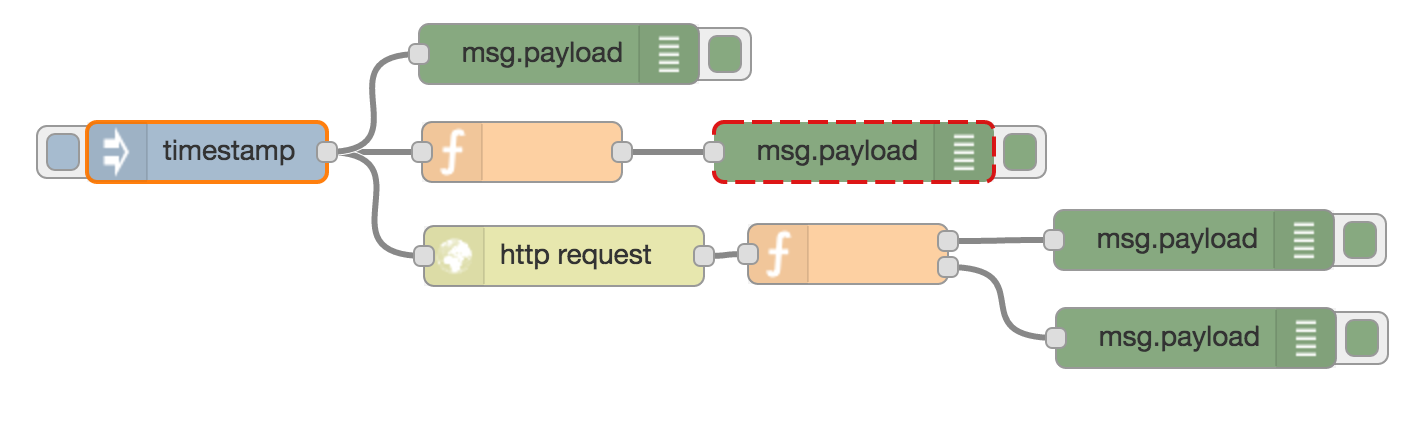
上圖是官網的兩個教學(Creating your first flow、Creating your secound flow)攪在一起的結果。
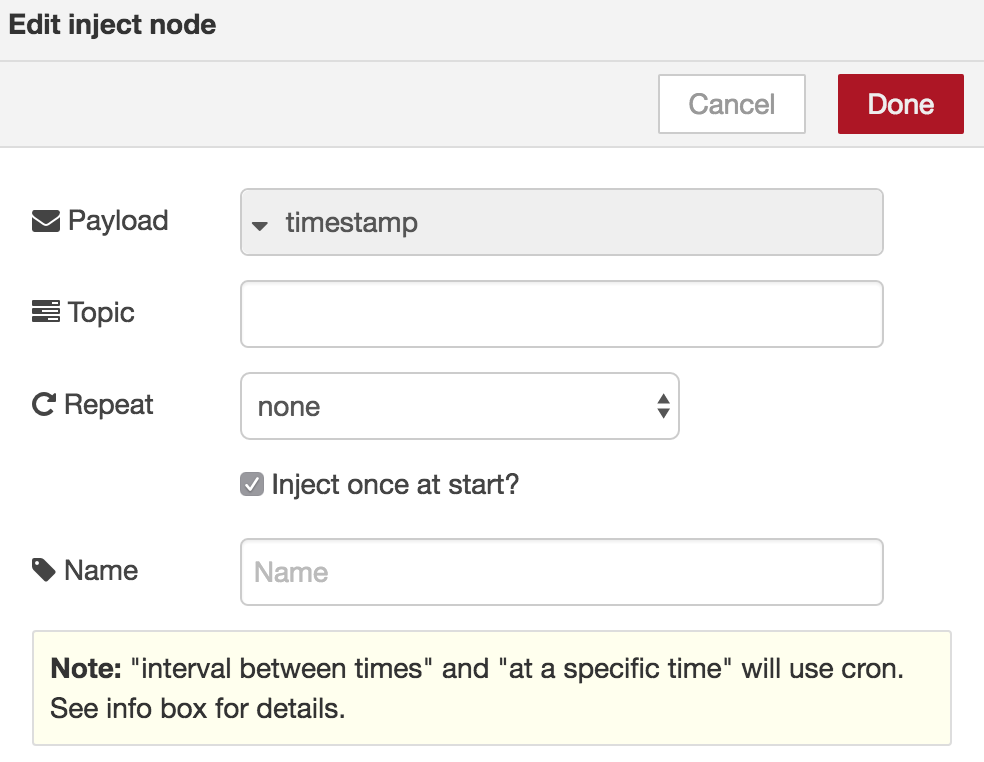
最左方程式進入點 (inject node)點兩下打開屬性視窗,把 Inject once at start 勾起來,就會在 node-red 跑起來或是deploy 成功後執行。
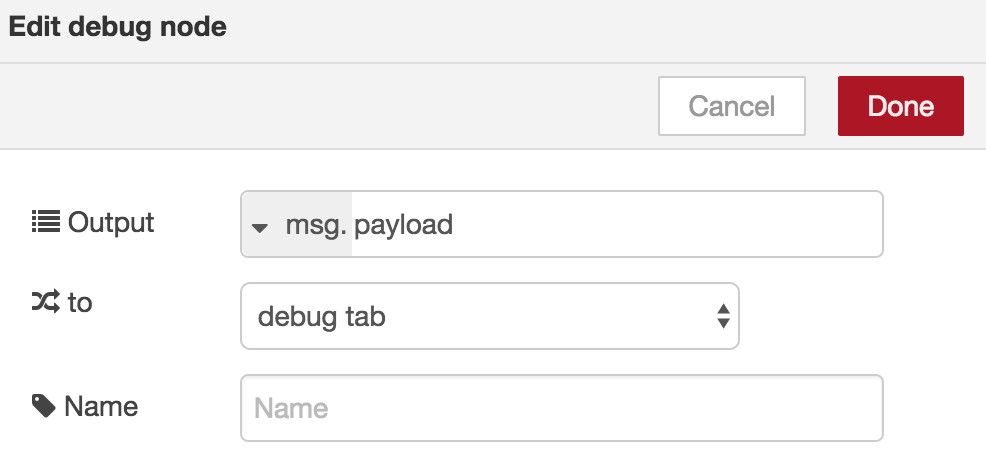
Inject node 會產生一個 payload 的資料(在這個例子值為timestamp)放在 msg 物件裡往後丟,所以最簡單的下一個動作就是透過綠色 debug node 看看這個值。
Debug node 只會顯示資料(及錯誤),不會做其外額外的事情,預設會把 msg.payload 丟到右邊 sidebar 的 Debug Tab 中,若是有多個 Flow ,可以點選 current flow 按紐只顯示目前開啟的 flow 的 debug 訊息就好。
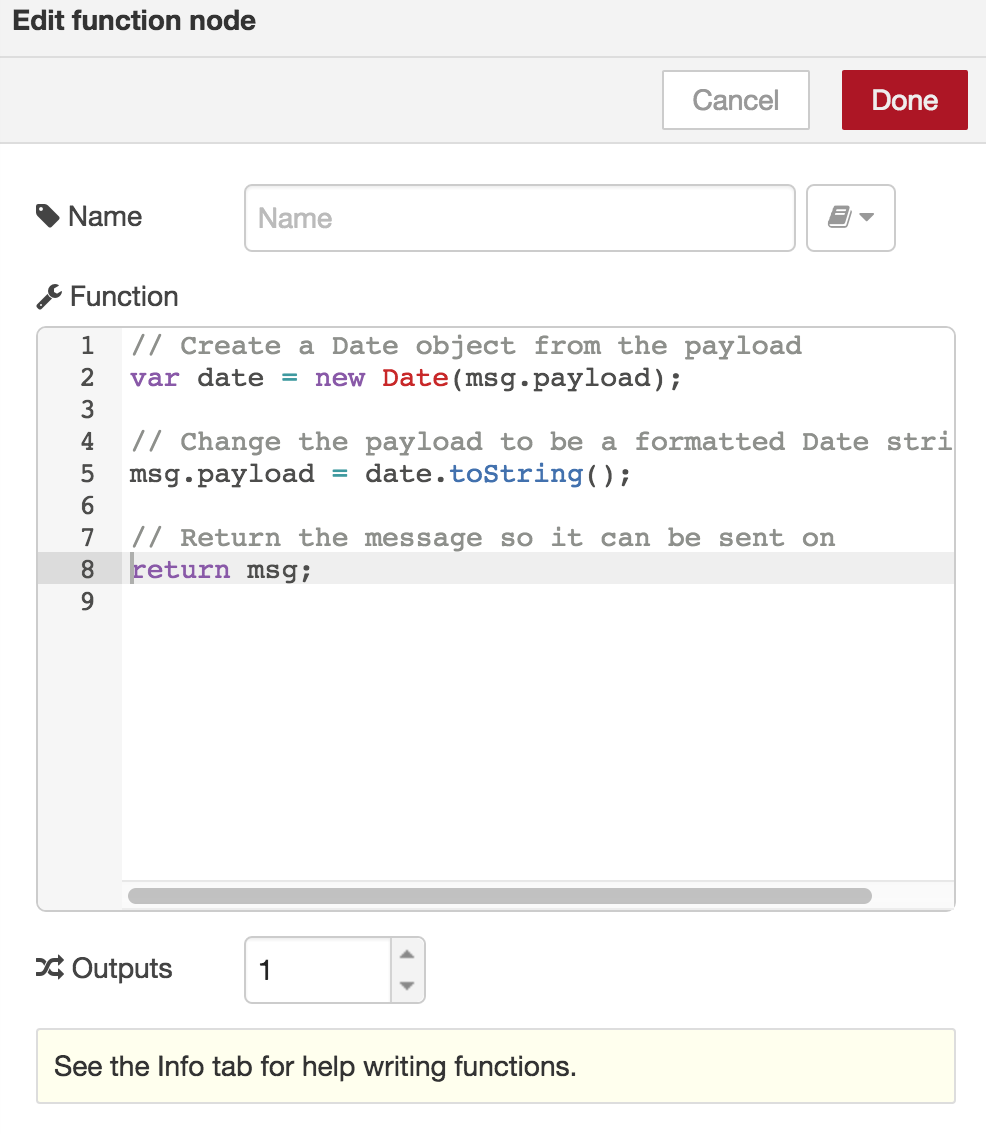
只顯示 timestamp 太無聊了對吧,所以官網接著就教我們做正事(?), 把 Timestamp 轉成我們看得懂的時間日期格式。方法是把 Inject Node 的 msg.payload(i.e timestamp),餵給一個 Function Node ,然後再吐給 Debug Node 顯示出來, Function Node 裡頭的設定如下
|
|
太好了,我們會生火了,萬歲 !! 但在 Internet 時代,火苗都在雲端上,那我們要怎麼 cosplay 普羅米修斯把火苗取下來呢,這就是第二個範例教的,透過 http request node 可以達到的功能,方法很簡單,只要指定 url 及 method 就可以了。取完的資料一樣會放在 msg.payload 中往下一個 Node 傳。
p.s 這邊用的 http request node 是在 function 類別中的,另外還有一個 http request node 是 input 類的,在下一個 flow 會用到
p.s2 設定中可以指定 method 為 post ,但… 參數好像還是要用 get 方法傳 XD

範例中在取完火苗資料後還加了個 function node 做資料擷取,原本網址的回傳內容內含一大堆的html tag, function node 在找到 span 後取出 demand 及 frequency 兩個值處理完後放在 msg.payload 中,另外再依 frequency 的值建立另一個回傳值(boolean)放在msg2.payload ,再把兩個值放在 array 中丟出來
所以這個 function node 圖示上的 output 就會有兩個點,可以分別拉給 debug node 顯示。
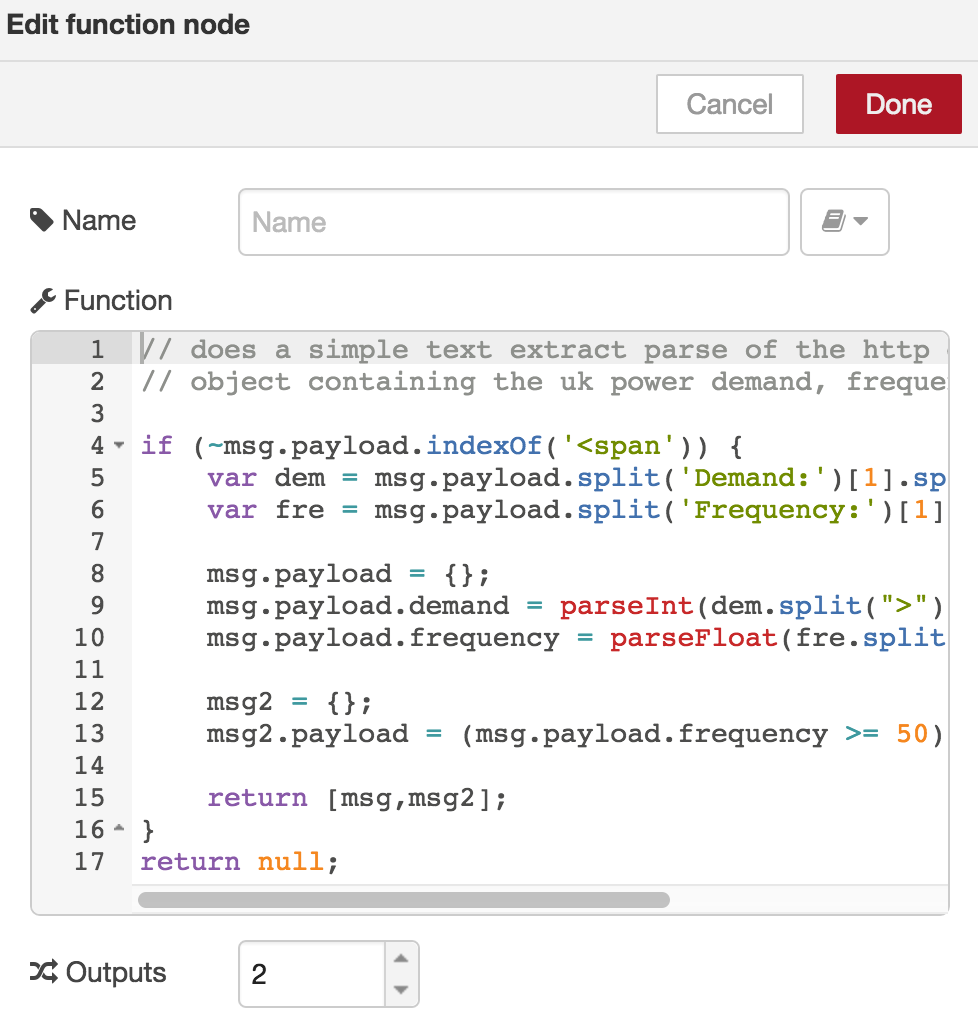
都搞定後,按下右上方的 deploy 就可以把這個 flow 轉成程式碼佈署到 server 上並觀察執行結果,沒意外的話可以在 debug tab 看到結果如下

會看到第一個訊息是轉過的timestamp ,第二個才是原始的timestamp,這也看出node red 仍保有 javascript 不同步的老問題,這在之後會造成一些麻煩,晚一點再提了。